The rising density of signals, increasing waveform complexity, and frequent use of modified standard modems pose significant challenges. Because every signal may carry valuable information, new emissions must be analyzed quickly so that new decoders can be created—or existing ones adapted—to maintain automated collection.
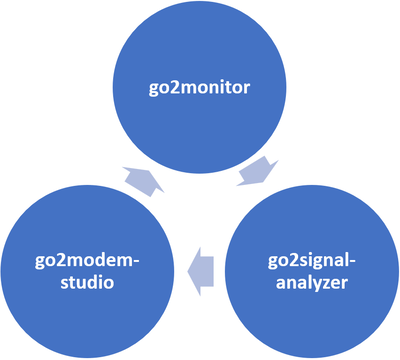
go2modem‑studio, together with go2signal‑analyzer, provides the tools required to analyze signals, adjust existing decoders, or develop new ones rapidly and efficiently.
Key Facts
go2DECODE is replaced by go2signal-analyzer & go2modem-studio, go2monitor should be used for decoding!
Never again wait until a decoder comes on the market!
Add decoding support for new and unknown signals to go2monitor
Create and edit customer‑specific decoders with the advanced PYTHON Decoder Description Language (pyDDL)
Adapt decoder outputs to meet customer‑defined requirements
Debug decoders and fine‑tune their bit‑level output using recorded signals
Export decoders and modem definition files to go2monitor for monitoring
Stay up-to-date with two updates per year
Windows or LINUX
Decoder Development Workflow
When decoding signals with go2monitor or other applications, you often face challenges such as:
Unknown signals are being received
Signals that previously decoded correctly now causing issues
Reports of new emissions that need verification in your environment
“Unknown” or “unclassified” results showing up in your monitoring output
Modified or non‑standard modems behaving differently than expected
Signals with changing parameters due to propagation, interference, or deliberate modifications
.....
First, you analyze the modulation(s), since this is the only way to extract a reliable bit stream
In the next step, you develop a detector and begin implementing a decoder
Once ready, the detector or decoder can be integrated into go2monitor
As more signal samples become available over time, you refine and improve the decoder for higher stability and accuracy
Components of go2modem‑studio
go2modem‑studio consists of three applications:
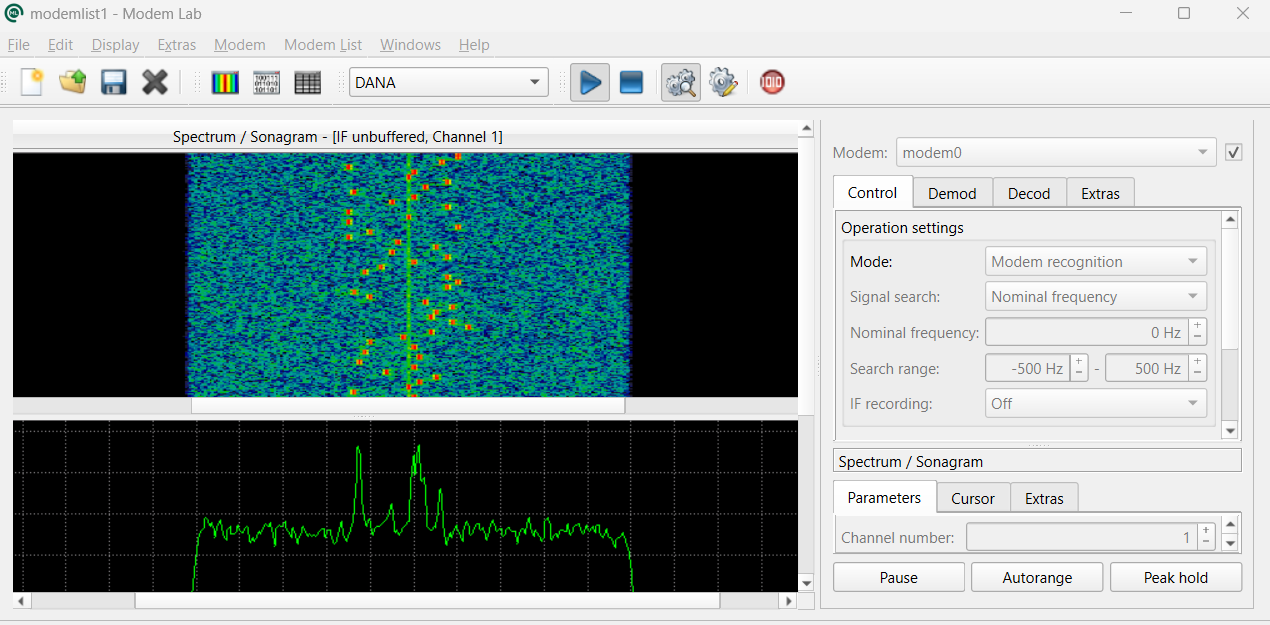
go2modem‑lab, used to configure demodulators and test decoders
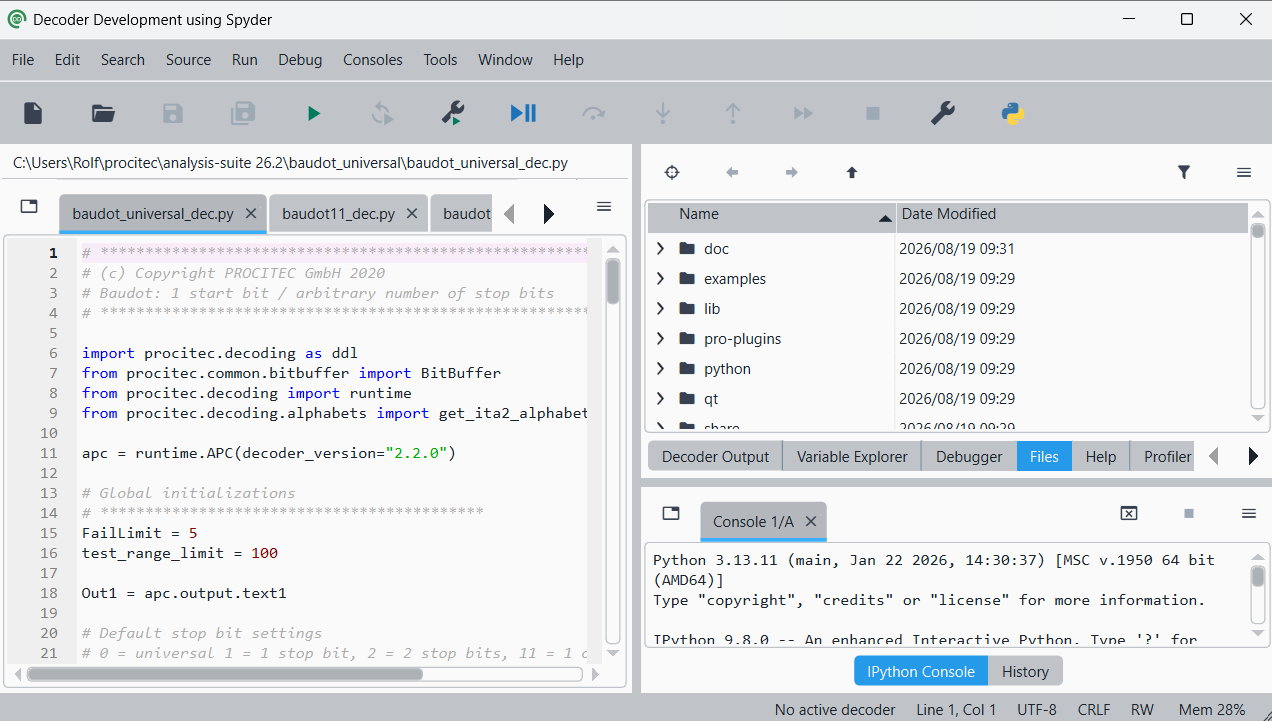
go2decoder-development, used to create or adapt decoders with pyDDL, the Python‑based decoder description language
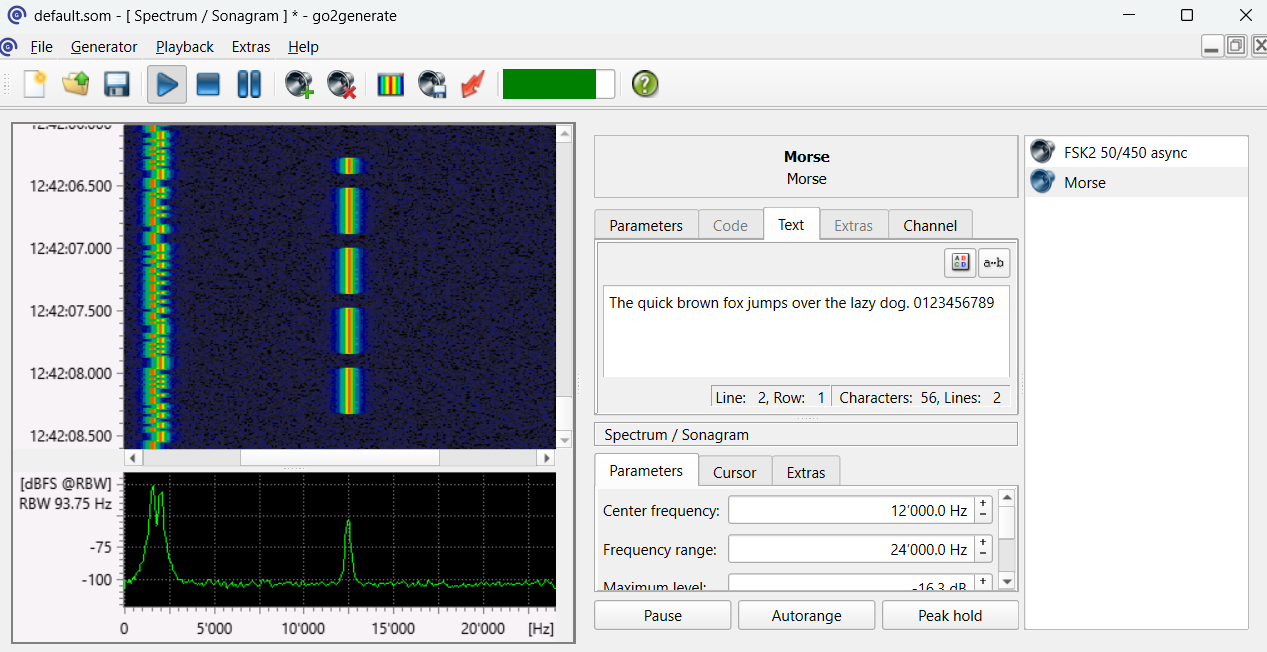
go2generat, used to generate and simulate signals, providing realistic test inputs for demodulators, decoders, and training scenarios.
modem-lab
With modem-lab, demodulators can be configured and tested with recorded signals. The bits can be stored and passed to go2ANALYSE, Python, Matlab or another tool for advanced stream analysis. Settings can be stored (modulation parameters and decoder) as a new modem for use with go2monitor.
Large selection of universal, freely configurable demodulators
Any combination of demodulator and decoder
Control of parameters and decoding quality
Comprehensive control of output(s) and metadata.
Setup of special configurations and alphabets
FFT/spectrogram and bit display
Decoding from signal memory in loop mode
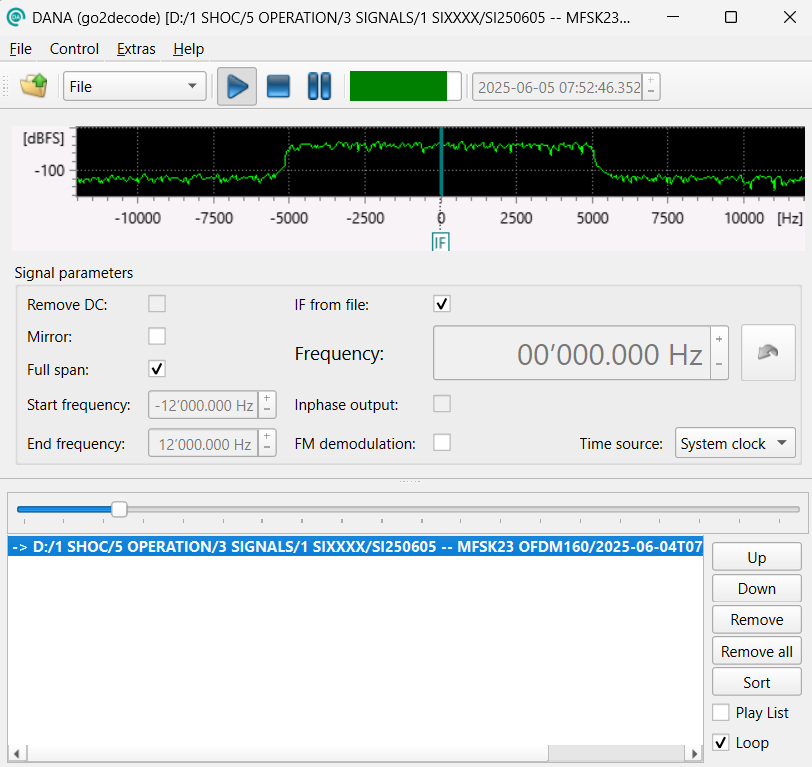
DANA (Digital Analog Audio Interface) is available as an input and provides two signal sources:
Files
Analog signals from the sound card (mixing console, virtual audio cable, etc.)
decoder-development
Unlike many other products, go2modem‑studio gives end users the ability to create entirely new decoders or modify existing ones. The system includes the advanced Python Decoder Description Language (pyDDL), which is used to develop or adapt decoders quickly and flexibly. For this reason, go2modem‑studio is delivered with the source code for many of our decoders, enabling customers to learn, customize, and extend them as needed.
Decoders created in go2modem‑studio can be exported to go2monitor simply by drag and drop.
pyDDL – Powerful Decoder Development
Decoder development is based on the full power of Python, combined with more than 100 specialized pyDDL commands for:
pre‑processing
searching
reading and interpreting bit streams
data transformation
output formatting
Development starts with a demodulated bitstream produced by a properly configured demodulator. pyDDL enables detailed bit‑stream analysis and message decoding, and even modern channel decoding steps can be implemented in only a few lines.
Because pyDDL builds on Python, decoders remain compact and maintainable—reducing complexity, minimizing errors, and speeding up development. pyDDL can also call external DLLs written in C, C++, or other languages when needed for performance or reuse of existing logic.
Spyder Development Environment & Debugger
pyDDL development is performed in Spyder, which provides:
Intelligent code editor with auto‑completion
Context‑sensitive help
Syntax highlighting for functions, keywords, and structures
Detailed error messages from the Python interpreter
Combined with the integrated debugger, Spyder supports a modern workflow that meets all expectations for a professional development environment:
Test of decoder sections
Verify intermediate decoding results
Step through code line‑by‑line
Monitor variables and buffers at each step
Modify variable values during execution
Set breakpoints to stop continuous operation
Run decoders independently of real‑time baud rate (faster or slower)
go2generate (formerly SOMO)
Advanced signal generator for operator training, simulation, and testing. go2generate is also available as a standalone product and can be ordered independently of the go2modem-studio.
Wide range of modulation generators
Complex signal scenarios with multiple signals generated in parallel
Burst signal generation with burst shaping
Multi‑channel signals with up to 64 channels
Fully configurable modulation parameters
Variable coding standards with editable text or binary patterns
Generator bandwidth:
20/40 kHz in online mode
Several MHz in offline mode
Adjustable noise level
Runs on standard COTS hardware
HF channel simulation, including multi‑path fading and noise